Louisiana Sportsman Magazine
New User? Register
Password? Forgot
Inactive? Activate

Magazine

Louisiana Sportsman Magazine Cover


bigboy Profile Photo
Boats in Louisiana
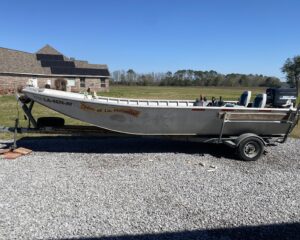
my cousin was given a boat that was given to someone else.paper work didn't change hands original owner is not known. is there any way to get this boat registered or find out who original owner is so paperwork can be straightened out? boat is ready to go fishing just no regestration papers or numbers. can anyone help me out with how to get this taken care of? THANKS !!!!!!!!!
2 of 2 Comment(s) [ View All ]
September 06 at 9:20am
Louisiana Sportsman TV Profile Photo
Boats in Louisiana
Photo Album
I’ve been told it’s expected to do 30 to 40 mph and carry 25 s. tons on an 18 inch draft. Hope they have something at the bottom of the stern rake to get flow separation!
22 hours ago
Jeff B Profile Photo
Boats in Louisiana
Photo Album
  • Lots of Horses!
Saw this boat a bow.fishingcountry.com and when I saw LA sportsman's post, I thought I should post this one
15 hours ago
frika-c Profile Photo
Boats in Henderson Lake in South Central Louisiana
looking for Honda v-6 midsection.....or parts motor 337 523 7588
Yesterday at 7:11am
Pro's Pointers Question Profile Photo
Captain Paul - GPS Info in Southeast Louisiana
recently bought Humminbird 898c SI fishfinder and am looking to buy a chip to upgrade the maps. I was looking at Navionics and was wondering which chip woud be the best. I mostly fish Des Allemands, Little Lake and Lake Salvador. Any help is appreciated. Thanks
Captain Paul Profile Photo
Response by Captain Paul
September 08 at 11:52am
MAPPING FOR A HUMMINBIRD 898CSI
~ Captain Paul's response to: ~ Richard Thorne ~

Use caution when ordering any map program as once purchased, they are not refundable or exchangeable. In short, the program is yours.

I say that to alert you to do your homework before purchasing nearly a $200 purchase.

Most of the Navionics programs come area produced in several formats. The same regions are usually marketed in a Secure Digital (SD), which is the format that is used by your Humminbird unit, as well as Compact Flash (CF) and Micro SD formats.

To get the most out of your Humminbird 898c, I suggest that you get the
Navionics Platinum series of mapping. They offer a new region of HOT Maps called Navionics Platinum South. It has INLAND LAKES in New Mexico, Texas, OK, NE, KS, MO, AR, LOUISIANA, MS, AL, GA and Florida. It is available from the Humminbird site as well as other dealers on the web.

The other Navionics Platinum is marketed as Coastal Regions. Coastal Region 651 in the Platinum Plus program, I believe consists of Coastal NOAA Marine Charts that covers the from Cape San Blas, Fl to Baton Rouge, LA. But I was unable to ascertain if the “PLUS” version will operate in the Humminbird 898 as the “Plus” version is sold in the MICRO SD format. You should be able to get a converter that converts the Micro SD to a standard SD format at any electronics store, but be sure to check the compatibility.

I strongly suggest that also you access the Humminbird web site at

www.humminbird.com/leading_innovation/fishing-systems.aspx

and register your unit and then download the FREE Humminbird PC program. This download will allow you to transfer data such as waypoints, tracks, and routes to and from your Humminbird GPS unit and your computer. It is a worth while endeavor even if you don’t buy a supplemental mapping program.

~ Captain Paul ~
September 08 at 9:21am
Nocturnal Navigator Profile Photo
Technical in Southeast Louisiana
I can make a full day of fishing with a motor that runs great on my 22 ft Fish Master Bay Boat. However; One to two times a trip the engine kills while running. I pump the (limp) ball, and it fires up and runs great until it happens again.

The motor yearly has complete tune ups with complete maintenance. The primer ball has been changed and the anti syphon valve has been removed. I.... Read More
August 29 at 10:01pm
hckid7192 Profile Photo
Captain Paul - GPS Info in Delacroix Island in Southeast Louisiana
Want to buy a handheld gps to use in the Delacroix marsh. Which one do u recommend? I just want to save the route to get to the blind and I want to save all the blinds on the gps. Looking to spend at most 350. What would be the gps for the money
Captain Paul Profile Photo
Response by Captain Paul
September 07 at 12:23pm
BEST GPS UNIT
.
~ Captain Paul's response to: ~ HCKID719 ~

This is a tough question to answer. It is almost like you picking out a dress for your wife or mother. Yes the dress will cover the necessary parts, but how does it fit, where will it be used and how long do you intend to keep the outfit. You can see what I mean!

There are several units that should suit your needs WHEN LOADED with the proper accessory mapping software and an accessory or two. What ever unit you decide on, be sure to get the 12 volt remote power cable and a marine mount that can be installed on your console or dash of your auto. This arrangement will give you a hands free, unlimited operation time, when connected to the cigarette adapter on you boat or auto. It will save you money in the long run on batteries.

I would be hard pressed to recommend a specific unit. There are a lot of considerations that would affect your choice. Foremost would be the cost of the unit or rather the dollar amount you want to or can spend.

Most users who get a very basic unit usually upgrade to a color mapping unit within a few months of seeing what a GPS unit can really do. I suggest that you save the upgrade costs and get one that has more features and an internal mapping program.

So, in order to at least give you a starting point, let me express some of my findings about different GPS types and styles.

First, as I said, I have found that most GPS owners eventually upgrade to a mapping GPS unit sooner or later. So spare the cost of additional units and get a color screen mapping unit at the start.

The mapping features really bring the GPS into a realm that allows the user to take full advantage of all of the functions of a GPS unit and to have maps of the area. Remember though that a Mapping unit requires the same manufacturers mapping software. This is usually sold as an option accessory and usually runs +/- $100.

Most manufacturers have a web site that comprehensively covers their line of receivers as well as the mapping software that is available.

I suggest that you begin by looking at each of these sites for an understanding of what is being offered in today’s market. There are others, but I would START with the largest companies that sell hand held GPS receivers to the consumer market.

Lowrance, Magellan, DeLorme and Garmin have a very impressive line of hand held units. These units are available for your perusal on the same web site. Check them out at Garmin @ www.garmin.com/ , Lowrance @ www.lowrance.com/ ; www.Delorme.com and Magellan @ www.magellangps.com/.

Yes, It know there are others and you may want to consider them also, but start with these brands to get an idea of what is available from the top three brands.

These units when loaded with the OPTIONAL mapping software, offer a very versatile package that will more than accommodate your needs.

In narrowing down your selection you will have to decide whether or not you want (or need) color screens. I strongly recommend the color version.

In addition you will have to determine the features that you want in the unit.

I can, however, offer you some pointers that may help YOU decide which one will be best for you.

A gray scale screen (not color) will be less expensive than a color one.

A smaller screen will be less expensive than a larger one.

A screen that has screen touch-controlled functions will be a great deal more expensive than a button or menu controlled unit.

Those units with a “Touch Screen” command area usually more expensive than button model.

A non mapping unit will be less expensive that a mapping unit.

Some units can utilize auto type road maps. This mapping software when used in specific units can provide an ON THE ROAD routing. This type of road and street routing can guide you to various street addresses and locations throughout the U.S. Those units that have the ability to do an ON ROAD routing generally cost more than other units that only have a “AS THE CROW FLIES” type of routing.

Some units cannot accept any other mapping than what is already loaded into the receiver. These units have a preloaded “base” map that the manufacturer believes will suit your needs. It cannot be supplemented with any other mapping. These types are less expensive than those that CAN accept additional mapping.

Some units require that a data memory card loaded with the maps you designed with your software, or that you purchased pre loaded data cards with maps. These memory cards are inserted into the receiver in order to view those maps on the unit’s screen.

Some of the units can use an over the counter Secure Digital (SD) or Media Memory Cart (MMC) or Micro SD cards and some can ONLY use their own proprietary memory card that requires their own card reader/writer.

Some units have an internal compass and altimeter~barometer and even a camera. Those with such extra sensors are more expensive than those without such additional features.

Some of the units CANNOT accept electronic connections. They are less expensive than those that can accept such downloads.

Some units have an internal compass and altimeter~barometer and even a camera. Those with such extra sensors are more expensive than those without such additional features.

When considering your choices, be sure to take in to account the SUPPORT that the manufacturer offers for his units. A Support Section that offers a person to speak to about a problem is a very big “plus” when it comes to getting help on a specific problem. Speaking to a in English to a PERSON and not a machine is really a big plus in the type of support that the various companies offer.

Access the various web sites and view all of the choices you may have, then visit a stocking dealer and “feel” the unit in your hand. Sometimes the buttons on the unit are not quite right for a person with small or large hands or someone who is left handed. Check out the unit, the size of the screens and the general appearance and how it operates.

Narrow down your choices and then get back with me. I would be happy to discuss your options with you.

~ Captain Paul ~
September 06 at 9:41am
Amos Moses Profile Photo
Boats in Fourchon / Grand Isle in Southeast Louisiana
I have 2 of these motors on my off shore boat. This past weekend, I decided to run my motors just as I do every few months. I cracked one of them and let it run for about 20 minutes, but when I tried to kill the motor, it would not stop running, and when I would turn the key switch back to the on position, it sounded like the motor 'started' again?? Is it possible that not all cylinders are.... Read More
1 of 1 Comment(s) [ View All ]
September 07 at 10:14am
Amos Moses Profile Photo
Boats in Henderson Lake in South Central Louisiana
We just recently purchased a 40 HP Koler Beaver Tail Surface drive. We tried it out on our homemade 18' 40' bottom skiff, and was extremely dissappointed, but the transom was only on a 9 degree angle, so with the motor trimmed all the way down, the boat was only running about 17 MPH and it seems that the prop is not deep enough in the water. The transom height is 16'' which is what is.... Read More
September 07 at 10:10am
ReelThrill Profile Photo
Guns in Shell Beach / Hopedale / Reggio in Southeast Louisiana
Just purchased a new Glock 19 and was wondering if anyone knows a place in or near New Orleans to have night sights installed. Any help would be greatly appreciated.
2 of 2 Comment(s) [ View All ]
September 05 at 2:33pm
jw228w Profile Photo
Ask the MAPMAN in Lake Borgne / Chef Menteur
can anyone tell me where long point lake borgne is located,for tide purposes.
thanks john
September 06 at 11:37am
Pro's Pointers Question Profile Photo
Captain Paul - GPS Info in Northeast Louisiana
I am going to hunt in Colorado and would like to buy a easy to use gps. Which one would you recomend? A second question if I want to determine the distance between 2 deer stands can I use the gps to determine the distance? Example would be to mark a waypoint a the first stand and then go to the second stand and mark it, will the gps give me the distance between to the two points? Thanks David
Captain Paul Profile Photo
Response by Captain Paul
September 06 at 8:21am
BEST GPS UNIT
~ Captain Paul's Response to Davie W. ~

First the easy part of your question. Yes, almost any GPS unit can determine distances as you described the problem. Some can even do so by simply using the map screen and mark two locations. These units would allow you to determine the distances, but remember that the distances will be in a straight line. It would NOT take into consideration the elevations and additional obstructions and course alterations that may prohibit a straight line course. It is a very primitive function for a GPS unit.

Now for what unit is best for you. This is a tough question to answer. It is almost like you picking out a dress for your wife or mother. Yes the dress will cover the necessary parts, but how does it fit, where will it be used and how long do you intend to keep the outfit. You can see what I mean!

There are several units that should suit your needs WHEN LOADED with the proper accessory mapping software and an accessory or two. What ever unit you decide on, be sure to get the 12 volt remote power cable and a marine mount that can be installed on your console or dash of your auto. This arrangement will give you a hands free, unlimited operation time, when connected to the cigarette adapter on you boat or auto. It will save you money in the long run on batteries.

I would be hard pressed to recommend a specific unit. There are a lot of considerations that would affect your choice. Foremost would be the cost of the unit or rather the dollar amount you want to or can spend.

Most users who get a very basic unit usually upgrade to a color mapping unit within a few months of seeing what a GPS unit can really do. I suggest that you save the upgrade costs and get one that has more features and an internal mapping program.

So, in order to at least give you a starting point, let me express some of my findings about different GPS types and styles.

First, as I said, I have found that most GPS owners eventually upgrade to a mapping GPS unit sooner or later. So spare the cost of additional units and get a color screen mapping unit at the start.

The mapping features really bring the GPS into a realm that allows the user to take full advantage of all of the functions of a GPS unit and to have maps of the area. Remember though that a Mapping unit requires the same manufacturers mapping software. This is usually sold as an option accessory and usually runs +/- $100.

Most manufacturers have a web site that comprehensively covers their line of receivers as well as the mapping software that is available. I suggest that you begin by looking at each of these sites for an understanding of what is being offered in today’s market. There are others, but I would START with the largest companies that sell hand held GPS receivers to the consumer market.

Lowrance, Magellan, DeLorme and Garmin have a very impressive line of hand held units. These units that are available for your perusal on the same web site. Check them out at Garmin @ www.garmin.com/ , Lowrance @ www.lowrance.com/ www.Delorme.com and Magellan @ www.magellangps.com/.

Yes, It know there are others and you may want to consider them also, but start with these brands to get an idea of what is available from the top three sellers.

These units when loaded with the OPTIONAL mapping software, offer a very versatile package that will more than accommodate your needs.

Narrow down your choice and get back with me. I would be happy to discuss your choice.

~ Captain Paul ~
September 03 at 12:21am
Robyne1 Profile Photo
Captain Paul - GPS Info in Southeast Louisiana
I just purchased a Garmin Gpsmap 76csx. What is the best place to get marine gps maps for the Vermillion Bay area? Please help!
Captain Paul Profile Photo
Response by Captain Paul
September 05 at 2:57pm
Garmin mapping for VERMILLION BAY
~ Captain Paul's response to: ~ Robynel ~

You have a mighty fine GPS unit that should serve you well. The GPSMAP 76CSX comes preloaded with what Garmin calls a base map. It is what the name implies, a basic map of the entire U.S. It does NOT provide more detailed images for the many bayous, creeks, lagoons, lakes and cuts that make up the Louisiana Coastal marshes. For that you will need to purchase one of several accessory mapping programs that are available for the unit.

There are THREE MAIN CHOICES for the Vermillion Bay area. All of which are loaded or can be loaded on a Secure Digital Micro SD card that is inserted in the weather proof card slot in side the battery compartment.

The first consideration would be Garmin’s Blue Chart g2 mapping software. This is ordered by areas. The area for the entire U.S. (HXUS039R - US g2) is listed as part Number: 010-C1018-20 with a Suggested Retail Price of $ 160.70 USD. It Provides detailed coastal coverage of the U.S. including the east Coast from the Canadian border to Key West, FL; the Gulf of Mexico; Alaska; the west Coast from Puget Sound to the Mexican Border; Hawaii; the Bahamas; the Aleutian and Channel Islands; and major inland rivers. Also features general coverage of Canadian waters in the Inside and Outside Passages, Puget Sound, and the Great Lakes.

It is based on existing NOAA Marine Charts for the respective areas. Most of these charts are in 1:80,000 scale marine maps. As said, it covers coastal waters and some MAJOR rivers. Vermillion Bay is covered in this product.

Another choice would be to get topographical maps of the area. I am a firm believer that topo type maps are a better choice for the Louisiana marshes. These maps, however, do not cover offshore area beyond about a 5 mile distance. They do, however, have great detail in land masses within the area of coverage.

The topo MAPPING SOFTWARE comes in two versions. One is TOPO U.S. 100K . It covers topographical maps of the entire U.S. in 1:100,000 scale. It is Available in a Download, microSD™/SD™ card and DVD format.

I prefer the DVD format as it gives the user the ability to install what ever areas he may want for a pending trip, etc.

The third choice is, I believe the best for the inshore fisherman and anyone who travels in any of the inland Louisiana areas. It is Garmin’s TOPO U.S. 24K. It is sold by regions.

The Southeast region brings you the highest level of topographic detail coverage that includes Louisiana, Mississippi, Alabama, Georgia and Florida. It has maps comparable to 1:24,000 scale USGS maps. These highly detailed maps include terrain contours, topo elevations, summits, routable roads and trails, parks, coastlines, rivers, lakes and geographic points - and they also display 3-D terrain shading on compatible devices. TOPO maps are ideal for hiking, hunting, camping, cycling and communing with nature and fishing in the inshore waters of the state. The program is currently Available on microSD™/SD™card or download.

Make a choice and then download the FREE Garmin data transfer program called BASE CAMP or HOME PORT. The Base Camp would work for the two topographical programs, but if you decide on the Blue Chart g2 program get the HOME PORT program, as it will let you view the charts on your computer screen.

Both programs will give you the ability to transfer routes, tracks, and waypoints between your Garmin GPS unit and your computer. It is worth the added effort as this transfer ability will save you countless hours in planning your trip and archiving your waypoints.

The electronic transfer is the basis of the Captain Paul Fishing Edge of GPS Waypoints that are sold on this web site in the outdoor store.

~ CAPTAIN PAUL ~
September 01 at 9:20pm
Anybody else have problems with the LDWF license site?

I tried tonight to buy a recreational crab trap license. Even though I have a lifetime hunting/fishing license, the site won't recognize me by my driver's license number or social security number. When I put in the number off of my lifetime license, it will only take me to the screen for non-resident licenses. I have never lived in any.... Read More
3 of 3 Comment(s) [ View All ]
September 04 at 9:29pm
Jeff B Profile Photo
Boats in Louisiana
looking for someone on the northshore with a tig welding shop or machine. I have some aluminum tubing that needs to be welded up. 985-750-1235 jeff
September 04 at 2:09am
wildbill1974 Profile Photo
Captain Paul - GPS Info in Venice in Southeast Louisiana
This past weekend, was fishing in Venice. First day my GPS worked fine. However I did hit a underwater sandbar and destroyed the transducer.

The next day I noticed that the GPS would not pull in the entire map. Was like the map was blurred.

Would the two events be related.

I got this HDS about a year about on a warranty exchange from Lowrance. Been a good unit.

Ok, I changed the.... Read More
Captain Paul Profile Photo
Response by Captain Paul
August 16 at 5:36pm
HDS-5 MAPPING NOT WORKING PROPERLY
~ Captain Paul\'s response to: ~ Wildbill 1974 ~

The map issue should NOT be a result of the underwater sand bar incident. Unless, that is, if the connecting cable to the transducer is compromised and a short has developed between the cable and possibility the water around the boat.

This short could cause internal problems in the unit. Try disconnecting the transducer cable at the unit and see if the mapping in the unit performs properly.

You failed to mention which HDS-5 you have. Is your unit one with preloaded maps in a hard drive, or is it dependant on a supplemental mapping accessory that is installed on a memory card?

If your unit has mapping on a memory card, try removing the card and carefully wipe the contact points and re-install the card in the provided slot. It may help and at least you will know that it is clean.

There is another feature that is incorporated in the unit’s operating software. It is the RESET feature.

Resetting internal software sometimes clears up such clichés as you describe. There are two ways of resetting the software in a HDS -5 unit.


The Soft Reset (Does not delete GPS Data) and the Hard Reset (Deletes stored GPS Data such as Waypoints and trails)
Soft RESET HDS 5 Reset

1. Turn unit OFF 1. Turn unit OFF. Press and hold the PAGES key

2. Press and hold the ZIN&ZOUT Keys at the same time.

3. Press and Release the PWR key

4. Release all buttons when the USA map appears

Soft Reset (Does not delete GPS Data) Hard Reset (Deletes stored GPS Data such as Waypoints and trails)

Hard Reset (Deletes stored GPS Data such as Waypoints and trails)

HDS 5 Reset

1. Turn unit OFF 1. Turn unit OFF

2. Press and hold the PAGES key. Press and hold the ZIN&ZOUT Keys at the same time

3. Press and Release the PWR key 3. Press and Release the PWR key

4. Release all buttons when the USA map appears

Other reset procedures may differ for other types of GPS units.

Check the Lowrance web site for a complete listing all Lowrance units @

http://primus.lowrance.com/support/resultDisplay.do?gotoLink=33596&docType=1002&contextId=574%3A33596.33624%2C48131.48250%2C64658.64765&clusterName=ClusterPublic&lang=english&docset=%2FDocuments%2FResets&contentId=99bd9079-109b-49ad-9727-9e06d5439849&responseId=135ccbe2cfd4f608%3Adcb03b%3A12a7ca9d012%3A-1ce7&groupId=4&answerGroup=1&score=881&page=http%3A%2F%2Fprimus.lowrance.com%2Ficr%2FResets%2FUnitResets_Lowrance.pdf&result=0&excerpt=Press+the+Hard+Reset+button.&question=reset+button&resultType=5000#Goto33596

If you attempteither of the RESET Options, BACKUP ALL OF YOUR DATA PRIOR TO ATTEMPTING THE RESET FEATURE.

Lowrance offers a FREE data transfer program for such backup transfers. Their GPS Data Manager V.6 (GDM6) allows you to upload and download GPS data from your LOWRANCE GPS unit to your computer. It lets you easily access and manipulate Waypoints, Routes, Trails and Icons. It is a great tool for planning a route and transferring waypoints and the route itself. The GPS Data Manager V.6 allows you to build a collection of route information that you can download to your unit.

It is available from their web site at http://www.lowrance.us/en-us/Downloads/GPS-Data-Manager-GDM/

The GDM-6 is the perfect tool for persons who only desire to use their unit as a plotter or those who only use preprogrammed electronic charts with their unit. There is however a caution that you should be aware of; Saving GPS data to a preprogrammed electronic chart could possibly cause the electronic chart to fail. Use a separate memory card for storing GPS data from GDM6.

Once the data is on the memory card, it is placed in the GPS unit, temporary replacing the mapping card and the user accesses the MENU feature in the GPS unit. By selecting the TRANSFER DATA option, Waypoint, Tracks and Routes are then transferred and stored in the internal memory of the unit. Waypoints on the card cannot be accessed UNLESS they are transferred to the internal memory of the unit.

You will also need a computer card reader~writer and a BLANK data card of the style necessary for your GPS unit. Again, DO NOT TRY TO USE one of the MAPPING cards. Sometimes in a download, the data is written OVER existing data. If this happens it will destroy the maps that are on the data card.

Using the GDM program you can plot waypoints and create routes then transfer them to the data card which allows you to integrate into the GPS’s internal waypoint and route memory.

This electronic data transfer is the basis for my CAPTAIN PAUL’S FISHING EDGE OF GPS WAYPOINTS.

If these suggestions do not work in correcting your mapping problem in the unit, you will have to call the Lowrance Support section at 1-800-324-1356 for assistance.

Please let me know how you make out.

~ Captain Paul ~
August 16 at 3:50pm
tom1959 Profile Photo
Boats in Southeast Louisiana
does anyone know where i can get a 17 ft aluminum boat painted ? its a mud boat . looking for a camo job.
September 03 at 7:40am
_TidewateR Profile Photo
Technical in South Central Louisiana
Can anyone recommend a good dealer to take my yamaha for it's 100hr service? I bought the motor in Florida, and I don't know where to take it locally. I live in Lafayette, so here are some nearby options:
gulf coast boats, Redmonds, Blacks outdoor, or Mikes marine

-Yall have any first-hand experience with any of these guys?

thanks

TW
August 29 at 11:10pm
Pro's Pointers Question Profile Photo
Captain Paul - GPS Info in Southeast Louisiana
Capt. Paul, Never had a GPS. I fish with others who do and see the advantages of having one. What are the units you recommend? I fish in coastal southeast LA. Cabela's sells Lowrance units and I get a good deal purchasing through them---is Lowrance any good? If you havean article in this regard, please refer me to it. Thanks (Email: houser109@charter.net)
August 29 at 4:11pm
sacalait50 Profile Photo
Technical in South Central Louisiana
Have a leak on a pontoon boat, toon takes in about 3-4 gallons a month, can't find the leak.
Have read that the toons need to be pressue checked with no more than 2-3 psi. Does anyone know someone specialized in toon repairs ?

Thanks
August 27 at 8:22pm
BeakBuster84 Profile Photo
Captain Paul - GPS Info in Myrtle Grove / Port Sulphur in Southeast Louisiana
Capt Paul, I wanted to let you know that I recently purchased the Navionics Gold SD card for my Lowrance HDS 7 unit and am very happy with it. It is a much more detailed map than the standard basemap that comes with the unit. I recently plugged in a large number of waypoints in my GPS, many of which are located pretty close togethor. With all the waypoints and trails showing my screen looks like.... Read More
Captain Paul Profile Photo
Response by Captain Paul
August 26 at 11:48am
WAYPOINTS IN YOUR LOWRANCE HDS 7
~ Captain Paul\'s response to: ~ Beak Buster 84 ~

I am glad to hear that you got the supplemental mapping program that is available for your Lowracne HDS 7 unit. The Navionics Gold mapping system really lets you take advantage of all of the features in this fantastic GPS unit. You have a top of the line GPS mapping unit with a top flight mapping program. It should serve you well.

Yes, there is a way to have the waypoints disappear from the map screen without deleting them from the Lowrance HDS – 7 unit.

Check out pages Pages 42 to 47 in the owners manual. It covers waypoints and how to delete, edit, and place them in the HDS 7 unit.

Specifically, check out page 46 in the manual. It describes how the waypoints, tracks and routes are DISPLAYED in the MAP page. By accessing the menu feature as described in the manual, you can either have the data visible or hidden while on the map or chart page of the system.

Unfortunately, you cannon “hide” individual waypoints. You either have to show all or hide all of the entered waypoints. Using this feature will NOT DELETE the waypoint, but will not let the unit display them when you are on the chart pages in the system. They can be “turned on or off” as the need arises.

There is another way which may also help you; that is to set the RANGE of the displayed chart to a smaller scale. This will make the images on the screen appear larger but will cover less of an area. By “zooming in” on a specific map area, will give you a closer view of the map features and will also indicate the differences between the closely defined waypoints.

The unit has an AUTO RANGING feature which allows the software in the unit to select the scale of the internal maps. The size of coverage usually depends on the speed that the vessel is traveling. It would make no sense to have a map that is 300 feet from edge to edge of the screen when the vessel is traveling at 50 MPH. Such a speed would have the vessel traveling at about 73.333 feet per second. That means that the vessel would “run off“ the map in about 4 seconds. If however the scale of the map is about 2 or 5 miles from edge to edge, it allows the navigator an opportunity to make reasonable decisions as how to navigate the courses.

However, you can change the map scale that is displayed as you get close to a feature to a more zoomed in view.

Of course, simply slowing down the vessel will usually cause the unit to display the map image in a greater detailed view.

Remember, that the GPS unit along with all of its sophisticated internal mapping and position finding systems, is NOT a replacement for a hard copy map of the area where you are traveling.

Be sure to download the Lowrance GPS Data Management (GDM-6) from their web site at

http://www.lowrance.com/en/Downloads/GPS-Data-Manager-GDM/

This data program will allow you to be able to transfer DATA such as waypoints, tracks, and routes to and from your GPS unit and your computer via a SPARE memory card.

In doing this transfer, be sure to get a spare Secure Digital (SD) card when doing the transfers. Attempting to use the Navionics SD mapping card, may corrupt it causing it to malfunction when displaying the maps in the GPS unit.

According to Lowrance,

“GPS Data Manager V.6 (GDM6) allows you to upload and download GPS data from your unit to your computer. You can easily access and manipulate Waypoints, Routes, Trails and Icons. A great tool for planning a route, the GPS Data Manager V.6 allows you to build a collection of route information that you can download to your unit.

GDM6 is the perfect tool for persons who only desire to use their unit as a plotter or those who only use preprogrammed electronic charts with their unit. GDM6 was created for these users who do not require the full mapping features of the MapCreate™ 6 software. Note: Saving GPS data to a preprogrammed electronic chart could possibly cause the electronic chart to fail - please check with the manufacturer of the electronic chart before saving GPS data from GDM6 to the memory card, or use a separate memory card for storing GPS data from GDM6.” (End Quote)

Try out my suggestions and see if they can assist you in viewing your waypoints.

~ Captain Paul ~
August 25 at 5:29pm
lsurebel Profile Photo
Technical in Lafitte in Southeast Louisiana
I have a Johnson 225 V6 VXSSS where only 3 or 4 plugs firing at one time. This changes from 3 on one side and 1 on the other. Then the two top plugs on both sides or maybe only 1 on each side. We have already changed the stator, worked fine for 1 day, and now it is back to the same thing. Also once you get it started it runs and starts ok. Once we let the motor cool down for several hours the.... Read More
1 of 1 Comment(s) [ View All ]
August 26 at 9:20am
coldhand Profile Photo
Technical in Toledo Bend in Central Louisiana
I am in the process of buying a boat trailer from a private party but the trailer doesn't come with a title. Only a bill of sale. How would i be able to transport a boat trailer with no title or plate on it in LA?. Also, would i be able to get a title from the DMV with a Bill of Sale. Thank you.
1 of 1 Comment(s) [ View All ]
August 22 at 2:10pm
Pro's Pointers Question Profile Photo
Captain Paul - GPS Info in Central Louisiana
Fish Big Lake and Cypremort Point quite a bit. Does the Vermillion Bay file contain the Cypremort Bay area?
If not do you have one that does?
Thanks.
Rick
rlem2757@aol.com
Captain Paul Profile Photo
Response by Captain Paul
August 22 at 9:08pm
EDGE FOR VERMILLION BAY
~ Captain Paul's response to: ~ Rick Lemoine ~

The Captain Paul’s Fishing Edge of GPS Waypoints for the Vermillion bay includes EDGE sites from Point Chevreuil and East Cote Blanche Bay reefs at the Gulf on the East, to the junction of the Intra Coastal Water Way (ICWW)and The Freshwater canal on the west of the areas from the Gulf of Mexico to the ICWW.

It includes locations in Vermillion Bay, Little White Lake, Belle Isle Lake, the Weeks Bay area, The Cypremort Point area, the South West Pass area of Vermillion Bay, Tete Butte and Diamond Reef areas, and numerous points in and around Marsh Island.

The Vermillion EDGE contains over 200 waypoints that are throughout this area. The Lake Calcasieu (Big Lake) EDGE has 140 waypoints. Both are only available on the LOUISIANA SPORTSMAN WEB SITE’s OUTDOOR STORE.

~ Captain Paul ~
August 22 at 5:41pm
Banjo Profile Photo
Technical in Leeville / Golden Meadow in Southeast Louisiana
I have been searching for a school that teaches marine mechanics (motor boat Mechanics) and I cannot find one. Does anyone know of a school around here or an online school who teaches that?
August 22 at 12:09am
Pro's Pointers Question Profile Photo
Captain Paul - GPS Info in Southeast Louisiana
Captain Paul,

I have a Garmin 5212 Touchscreen LCD chart plotter and fish in Venice, Breton Sound, and the West Delta area. Where do I go to buy your Capt. Paul’s Fishing Edge of GPS waypoints for those areas? And will they work on my GPS?

Vance Misuraca

Vorthodds@aol.com
Captain Paul Profile Photo
Response by Captain Paul
August 19 at 1:40pm
DATA TRANSFER FOR A GARMIN GPSMAP 5012
~ Captain Paul's response to: ~ VANCE MISURACA ~
Wow! You have one of the flagship models of the Garmin GPS line. It certainly has the ability to accommodate data transfers to and from a computer and the unit.

The GPSMAP 5012 features an unprecedented touch screen interface, along with a satellite-enhanced worldwide basemap and a 31 cm screen that makes navigation as easy as pointing your finger. By connecting to the Garmin Marine Network, you can add sonar, radar and weather. For even more advanced features, you can add the optional BlueChart® g2 Vision® card.

I sincerely hope that you also have the supplemental BLUE CHART g2 VISION chart for the unit as it is the top of the line mapping for that unit. Yes, the GPSMAP 5012 has internal maps, but unless you purchased the supplemental mapping program, these maps are only considered as BASEMAP.

The g2 VISION program really allows you to take advantage of all of the mapping and features on your unit. It is worth consideration.

In order to transfer data to and from your unit, you will need a spare memory card and card reader~ writer. The GPSMAP 5012 has a Secure Digital (SD™) memory card slot. This is the location where the maps on a memory card are inserted, as well as where a similar data card is temporarily placed for data transfers.

Basically, the data, waypoints, tracks and routes are transferred from and to the GPS unit and your computer.

To do this you need a data transfer program installed on your computer.

A companion to the unit is GARMIN’s HomePort™ .

It is listed as Garmin Part Number: 010-D0621-00, ~ Suggested Retail Price: $ 29.99 USD and is a Downloadable item from the Garmin web site.

Even if you don’t purchase one of my EDGE files, it is worth the effort to get the HOMEPORT software as it will allow you to back up all of your waypoints from your unit to a computer file.

In addition the HOME PORT program allows you to VIEW the existing maps (BlueChart g2Vision) on your computer screen. This gives you the ability to plan a trip from your computer and then transfer the data into your GPS unit. You can actually see the maps, charts and aerial views on your computer screen.

Once you have the necessary components, you can order the CAPTAIN PAUL’S FISHING EDGE OF GPS WAYPOINTS from the LOUISIANA SPORTSMAN’s Web site.

I have not yet released an EDGE file for the Venice area, but I am working on one for the inshore fishing locations. My Delacroix to Pt a La Hache covers some of the Breton Sound area.

My Empire to Buras covers the inshore water area between Empire and Buras which includes Carrion Crow, Sandy Point areas. I do not have an EDGE for the WEST DELTA or any other offshore water areas.

The EDGE programs are available in the OUTDOOR store on the Sportsman web site.

~ Captain Paul ~
August 18 at 5:00pm
Pro's Pointers Question Profile Photo
Captain Paul - GPS Info in Southwest Louisiana
Mr. Paul,

I have a Garmin GPSmap 188C sounder that is a discontinued model. I was woundering if it would be compatible with your program for vermillion bay. The concern I had is that the data card is nota typical data card and i dont know how I would transfer the data from my computer the the gps data card that the gps uses. Any info would be greatly app. My E-mail is rossbernard2@gmail.com..... Read More
Captain Paul Profile Photo
Response by Captain Paul
August 19 at 12:36pm
DATA TRANSFER FOR A GARMIN GPSMAP 188C
~ Captain Paul's response to: ~ Ross Bernard ~

There are two ways to transfer data to the Garmin GPSMAP 188/188C.

Let me first explain the two ways to accomplish the data transfer.

One way is to secure a Garmin Adapter cable (A/C,PC adapter, 18pin (US)
part # 010-10276-00, suggested list price $ 63.62 USD ) and connect the unit to a serial port on your computer. This adapter allows you to connect your GPS unit to AC power (U.S., 110-volt) and to your PC via a power converter and a “Y” cable.

Using this configuration, you can remove the GPS unit from your vessel and bring it into your home or camp where you have standard power and a computer, connect it to the computer via a serial port connection and power it up.

As you stated, the Garmin GPSMAP 188C takes a special GARMIN data card. (Garmin Data Card (64 MB) Part # 010-10226-12. Suggested price of $ 69.99 USD)

At one time, Garmin had these cards in various memory sizes up to 254 MB, but now the only size is the 64 MB size. This size, however is not a problem for data transfers as a 1000 waypoint file consists of only about 100 KB of memory.

This card is roughly in the shape of one half of an old style ice cream stick. It requires a GARMIN Card Programmer (Garmin Data Card Programmer part # 010-10776-00 suggested price of $ 50.00 USD) to program OR write to the data card.

The Garmin GPSMAP 188C can ONLY use these types of data cards which are a Garmin proprietary product. Although they can be found on the internet at various GARMIN suppliers, the unit can only use the Garmin specified data card.
If you have such a card in your unit, it probably has a supplemental mapping program for your unit. DO NOT USE THIS MAPPING card to transfer DATA. Doing so may overwrite some of the mapping data and as such destroy the map images. USE A SEPARATE CARD FOR YOUR DATA TRANSFERS.

Although they may be hard to find, both of these items may be still available from a stocking GARMIN DEALER, but are listed on the Garmin web site at

https://buy.garmin.com/shop/shop.do?cID=168&pID=160#accessoryTab

Once the data is on the memory card, the user must transfer the data from the card using the GPSMAP 188c menu feature to install the data into the internal memory of the unit.

After deciding on which option you wish to use, you will need a means of completing the transfers in your computer.

If you already have one of the older Garmin MAPSOURCE topo mapping programs, it has a section that allows the user to transfer data, waypoints, tracks, and routes to and from the computer and the GPS unit via the Adapter Cable or the Garmin Data Card.

Here again, you have two options. You can purchase the Garmin TRIP and WAYPOINT Manager program for about $30.00 or you can download the Garmin FREE download called BASE CAMP.

(http://www.garmin.com/garmin/cms/us/onthetrail/basecamp#fragment-2

The Base Camp and the Trip and Waypoint Manager allows you to Create waypoints and routes on your computer and transfer maps, waypoints, routes, tracks between your computer and GPS device.

Having these items will allow you the opportunity to transfer the data to and from the GPSMAP unit and your computer. Take that opportunity to first transfer all of your existing data from the GPS unit to your computer file.

This will ensure that you have a backup of all of your data in the event that the unit fails.

Make a folder under MY DOCUMENTS, something like GPS info, then a sub folder such as Waypoints. It would be wise to then make a folder for each of the different areas that you fish. It would look something like MY DOCUMENTS / GPS INFO / WAYPOINTS / CALCASIEU and other individual folders for each of your fishing areas.

The GPSMAP 188c can hold 3000 waypoints, so it is important to arrange them by areas so that you do not have scroll though 2000 or more waypoints to find the one you want. By having these files for different areas, you will have only those you need for the area where you are located.

This electronic data transfer is the basis of my CAPTAIN PAUL’S FISHING EDGE OF GPS WAYPOINTS. It allows you to transfer over 200 waypoints in less than two minutes from your computer into the internal waypoint memory of your GPS unit.

The Captain Paul Fishing EDGE is ONLY available from the LOUISIANA SPORTSMAN'S OUTDOOR STORE WEB SITE.

~ Captain Paul ~
August 19 at 8:26am
CAJUNCB Profile Photo
Technical in Louisiana
I know 4 Strokes burn less fuel...but are they faster than 2 strokes? How does the Horse Power compare from the 2 to the 4 stroke? Ya'll holla back with some advise!
August 16 at 9:14pm
empty shell Profile Photo
Technical in Southeast Louisiana
Can anyone reccomend a 2 inch lift kit for a yamaha big bear atv? I see several different ones, some with hardky any parts and some with alot of parts. Don't want to get ajunky one.
August 15 at 3:24pm
Pro's Pointers Question Profile Photo
Captain Paul - GPS Info in Southeast Louisiana
Hey Capt!

Looking for some coordinates of some rockpiles out of South or SW pass to catch some Grouper...tired of losing them in the rigs!

Any help is greatly appreciated.

Thanks in advance

My email is ianbyrd@comcast.net
Captain Paul Profile Photo
Response by Captain Paul
August 14 at 12:31pm
LOUISIANA OFFSHORE ROCKS
Captain Paul's Response to ~ Ian Byrd ~

Ian, Rock piles in Louisiana waters are real rarity.

The closest thing we have to rocks are the various “BANKS” which are underwater features. These are either under water bulging salt or mud domes (lumps) or formations of basalt outcrops, shelf-edge carbonate, limestone, sandstone, clay stone and siltstones sedimentary rock that has been uplifted.

A great deal of these underwater structures has colonies of coral growing in the formations. Some are even declared a National Marine Sanctuary because of the variety of marine animals in the area.

These and several other locations are favored by Grouper in Louisiana waters. Groupers habitually eat fish, crab, octopus, and lobster. They feed by lying in wait, rather than chasing prey in the open water. Their habitat is generally around some sort of bottom feature such as reefs, shipwrecks and in Louisiana Oil and Gas platform structures. Generally the adult Grouper is found from 50 to 300 feet deep and on some occasions as deep as 500 feet. The larger of the species are generally found deeper in the water column.

I have listed some of the “Banks” plotted with a general position, but I suggest that you visit a web site called GULFBASE. The site is located at
http://www.gulfbase.org/

Select the “ Reefs, Banks and Islands” button and examine the Banks yourself.

Here are some of the 'BANKS' off of the East Texas, Louisiana and western Mississippi Gulf Coasts.

~ ~ ~ ~ ~
Sackett Bank N 28.38, W 89.33 aka as the MID NIGHT LUMP

Diaphus Bank N 28.05, W 90.42

Ewing Bank N 28.06, W 91.02

Jakkula Bank N 27.59, W 91.39

Alaminos Bank N 28.01, W 91.45

Fishnet Bank N 28.09, W 91.49

Sweet Bank N 27.51, W 91.49

Phleger Bank N 27.50, W 91.54

Alderdice Bank N 28.05, W 92.00

Parker Bank aka Flying Dutchman N 27.58, W 92.02

Antoine Bank N 27.50, W 92.18

Rezak Bank N 27.58, W 92.22


In addition the Louisiana Department of Wild Life and Fisheries is the state approving agency and keeps the official documentation of ARTIFICIAL REEFS in Louisiana waters. It publishes these “reefs” on their web site at

www.wlf.louisiana.gov/fishing/programs/habitat/

The site lists consists of a listing of all offshore artificial reefs. Most are dismantled oil and gas platforms, but some are discarded ships and military land vehicles.

The site indicates the Area, Leased Block, depth of the water, previous owner and of course the latitude ~ longitude of the sites.

It is a worth while endeavor just to review these locations, as they offer anglers an unique opportunity to fish and or dive at the sites.

And lastly, Yes, I know you said that you wanted to get away from the RIGS, but these active rigs are the PRIME location to fish for Grouper. So if you are giving up on the rigs, your quest will be harder.

Check these sites out as you note their location of current NOAA charts of the respective areas. The banks and artificial reefs and the RIGS shown on these charts are prime fishing grounds.

~ Captain Paul ~
August 11 at 9:27pm
Pro's Pointers Question Profile Photo
Captain Paul - GPS Info in Southeast Louisiana
what are coordinates of the 69 rig just east of pass loutre or lonesome bayou?
thanks
d baker
masterdiverdwb@aol.com
Captain Paul Profile Photo
Response by Captain Paul
August 13 at 10:47am
Main Pass Block 69 rig
~ Captain Paul\'s response to: ~David Baker~

The Bureau of Ocean Energy Management, Regulation and Enforcement's (BOEMRE), formerly the MMS, Leased Block # 69 of the MAIN PASS Area, has over 6 well heads listed in that block.

However platform MP-69-D is evidently larger than the others and is indicated as a collection point for over fifteen well heads, some of which may not be visible above the sea floor. There are several underwater pipelines running to these other sites from this platform. These pipelines look almost like a spider on the seafloor.

Using the BOEMRE NAD 27 datum, it is plotted by BOEMRE, at a position of 29.27396359° N ~ 89.02721642° W in decimal degrees (29° 16.437’N ~ 89° 01.633’ W in DDD,MM.mmm).

Most of the other visible platforms can be seen from this location.\\

It is in about 50 feet of water about 4.0 miles from the center of the mouth of Pass a Loutre at Lands End NNW at a bearing of 352° magnetic.

~ Captain Paul ~
August 12 at 12:48pm
jmarkt Profile Photo
Technical in Southeast Louisiana
Anybody out there working on 4 wheelers and Kawisaki Mules in New Orleans/Westbank areas?
August 13 at 12:10pm
Pro's Pointers Question Profile Photo
Captain Paul - GPS Info in Southeast Louisiana
I have a Lowrance HDS 5 with the nautic insight. This is my first GPS to ever use. How can I get the waypoints onto my GPS? It has a memory slot so I can only assume I download them to a memory card and insert in and will it automatically intstall them into the memory of the unit or will I have to leave the card in the slot. You can respond to my email bencanoein@yahoo.com
Captain Paul Profile Photo
Response by Captain Paul
August 12 at 12:56pm
WAYPOINTS FOR THE LOWRANCE HDS 5
Captain Paul\'s response to: ~ Ben ~

First, of course, you can manually enter the waypoints directly in to the unit by marking the actual position or by editing the name and position of an existing position to correspond to the name and latiltude~longitude of the position you wish to install in the GPS unit.

This certainly would do for a few locations but would be very time consuming for a number of waypoints. But, even then it is NOT an automatic procedure. Check your owners manual for details on how to enter waypoint into your unit.

To accomplish an installation via an electronic download you will need several items.

First is a computer with an approved data transfer program installed in the computer and of course a GPS unit that has the capability to accept downloads either directly into the unit or via a memory card which is inserted into the provided card slot on the unit.

Lowrance offers a FREE data transfer program for such transfers. Their GPS Data Manager V.6 (GDM6) allows you to upload and download GPS data from your LOWRANCE GPS unit to your computer. It lets you easily access and manipulate Waypoints, Routes, Trails and Icons.

It is a great tool for planning a route and transferring waypoints and the route itself. The GPS Data Manager V.6 allows you to build a collection of route information that you can download to your unit.

It is available from their web site at http://www.lowrance.us/en-us/Downloads/GPS-Data-Manager-GDM/

The GDM-6 is the perfect tool for persons who only desire to use their unit as a plotter or those who only use preprogrammed electronic charts with their unit. There is however a caution that you should be aware of; Saving GPS data to a preprogrammed electronic chart could possibly cause the electronic chart to fail. Use a separate memory card for storing GPS data from GDM6.

Once the data is on the memory card, it is placed in the GPS unit, temporary replacing the mapping card and the user accesses the MENU feature in the GPS unit. By selecting the TRANSFER DATA option, Waypoint, Tracks and Routes are then transferred and stored in the internal memory of the unit.

Waypoints on the card cannot be accessed UNLESS they are transferred to the internal memory of the unit.

You will also need a computer card reader~writer and a BLANK data card of the style necessary for your GPS unit. Again, DO NOT TRY TO USE one of the MAPPING cards. Sometimes in a download, the data is written OVER existing data. If this happens it will destroy the maps that are on the data card.

Using the GDM program you can plot waypoints and create routes then transfer them to the data card which allows you to integrate into the GPS’s internal waypoint and route memory.

This electronic data transfer is the basis for my CAPTAIN PAUL’S FISHING EDGE OF GPS WAYPOINTS.

After purchasing the EDGE program, you open the Lowrance GDM program and then OPEN the saved EDGE file into the program. Once there you can edit or add to the file and transfer it to a data card which is placed in the GPS unit.

Then using the internal MENU feature you transfer the waypoint file into the internal memory of the unit.

~Captain Paul ~
August 11 at 7:16pm
empty shell Profile Photo
Captain Paul - GPS Info in Southeast Louisiana
Will your waypoints work with an Eagle Fish Elite 642 w/GPS
Captain Paul Profile Photo
Response by Captain Paul
August 12 at 12:40pm
EDGE FILES FOR YOUR EAGLE GPS SYSTEM
~ Captain Paul\'s response to: ~ Empty Shell ~

The Eagle Fish Elite 642c iGPS comes with a waterproof card slot for one MMC/SD memory card which is not included with the unit, to allow the user to record sonar graphs and GPS data files, and to load high-detail electronic chart options for navigation displays.

It is by the means of this card that allows you download data, such as waypoints, routes and tracks to and from the GPS unit to a computer installed program. The data is transferred through a Program that is installed in your computer along with a card reader~writer.

Lowrance (LEI) the parent company of Eagle, offers a FREE download to accomplish the data transfer. Check out the LEI download on their web site. They call the program GPS DATA MANAGER -6 (GDM). It can be found on their site @
http://www.eaglesonar.com/Downloads/Software/GDM/default.htm

GPS Data Manager V.6 (GDM6) allows you to upload and download GPS data from your LOWRANCE OR EAGLE GPS unit to your computer. It lets you easily access and manipulate Waypoints, Routes, Trails and Icons. It is a great tool for planning a route and transferring waypoints and the route itself.

The GPS Data Manager V.6 allows you to build a collection of route information that you can download to your unit.

The GDM-6 is the perfect tool for persons who only desire to use their unit as a plotter or those who only use preprogrammed electronic charts with their unit. There is however a caution that you should know. Saving GPS data to a preprogrammed electronic chart could possibly cause the electronic chart to fail.

Use a separate memory card for storing GPS data from GDM6.

Once the data is on the memory card, it is placed in the GPS unit, temporary replacing the mapping card and the user accesses the MENU feature in the GPS unit. By selecting the TRANSFER DATA option, Waypoint, Tracks and Routes are then transferred and stored in the internal memory of the unit.

Waypoints on the card cannot be accessed UNLESS they are transferred to the internal memory of the unit.

As I said, you will also need a computer card reader~writer and a BLANK data card of the style necessary for your GPS unit. Again, DO NOT TRY TO USE one of the MAPPING cards. Sometimes in a download, the data is written OVER existing data. If this happens it will destroy the maps that are on the data card.

Using the GDM program you can plot waypoints and create routes then transfer them to the data card which allows you to integrate into the GPS’s internal waypoint and route memory.

This electronic data transfer is the basis for my CAPTAIN PAUL’S FISHING EDGE OF GPS WAYPOINTS.

After purchasing the EDGE program, you open the Lowrance GDM program and then OPEN the saved EDGE file into the program. Once there you can edit or add to the file and transfer it to a data card which is placed in the GPS unit.

When ordering the CAPTAIN PAUL’S FISHING EDGE program, specify the EDGE designed for a LOWRANCE GPS SYSTEM.

~ Captain Paul ~
August 11 at 7:33pm
Pro's Pointers Question Profile Photo
Captain Paul - GPS Info in Central Louisiana
weakness of selective availability system in GPS
Captain Paul Profile Photo
Response by Captain Paul
August 11 at 12:06pm
SELECTIVE AVAILABILITY in the GPS system.
~ Captain Paul's response to: ~ NandDakyaw ~

I am not sure exactly what you are asking about, but I do have some information on SELECTIVE AVAILABILITY in the GPS system.

SELECTIVE AVAILABILITY was a term used to describe an intentional degrading of the GPS signals which caused the civilian version of GPS, to provide an accuracy of about 100 meters (320 feet).

The U.S. Department of Defense designed, operates and maintains the Global Positioning System. The system consists of 24 satellites active satellites with several satellites in orbit as spares. There are at least four satellites visible from any location on the surface of the earth at any time. These satellites broadcast a timed signal that is accurate to 1/40,000,000,000 of a second.

Your GPS receiver interprets the signals and using internal software programs determines a position by triangulating the time that the signals take to reach the GPS receiver from four or more of these satellite transmissions. It measures the time that the signals take in route to the GPS receiver. These signals travel at the speed of light, which is about 186,282 miles per second. The more satellite signals that are received allow for a more accurate computation of the position on the earth.

The GPS constellation when used by the military and the Military Defense Mapping can discern a position to with a few centi-meters. These signals are transmitted as a similar but different frequency than the civilian versions of the GPS. At first the Defense Department did not want non-U.S. Military applications to have the super accurate determination of earth positions. So, a system was designed to INTENTIONALLY degrading the GPS civilian satellite signals.

GPS includes a (currently disabled) feature called Selective Availability (SA) that adds intentional, time varying errors of up to 100 meters (328 ft) to the publicly available navigation signals. This was intended to deny an enemy the use of civilian GPS receivers for precision weapon guidance.

This Selective Availability degradation was eliminated May of 2000.

In making the announcement, the President stated, “New technologies demonstrated by the Department of Defense enable the United States to degrade the GPS signal on a regional basis. Should a National Security issue arise, SA signals could be placed in a specific region. This region-specific action would NOT affect other worldwide users.”

However, it is possible, if the Department of Defense believes that a hostile group may use the GPS system to cause an attack on the U.S., that SA will again be activated. In the event that SA is activated, worst-case accuracy would go from under 20 meters as it is now the standard to 100 meters in all GPS civilian receivers as when SA was active.


But in the meantime the Federal Aviation Administration (FAA) designed and placed in orbit satellites that broadcast a CORRECTED GPS signal, that is called Wide Area Augmentation System (WAAS). The WAAS satellites are geostationary, in that they are above the same location of the earth all of the time. WAAS satellites broadcast within the range of the standard GPS satellites, making it available to any standard civilian GPS unit that includes the WAAS radio feature. This is a common feature on most modern GPS units.

It is designed to assist commercial airline pilots in landings at commercial airports.

Using the GPS satellites and the WAAS feature, modern GPS units can discern a position to within 3 meters, about 9.8 feet and offers the casual GPS user an extreamly accurate navigation tool.

It is possible, if the Department of Defense believes that a hostile group may use the GPS system to cause an attack on the U.S., that SA or a version thereof, will again be activated. But, newer technology since 1992 when the GPS~ Selective Availability was designed, can allow the Department of Defense to disable or distort the signals for a very precise area. This can allow civilian units to be less accurate in certain areas if there is a national security issue in that area.

This capability of distorting the GPS signals has NOT occurred during the latest mid-east military action in Iraq and Afghanistan.

Selective Availability should NOT be a concern to any person who may want to use a GPS. As said, a modern unit can with GPS and WAAS determine a very, very accurate position that was unheard of just a few short years ago.

~ Captain Paul ~
August 11 at 10:44am
empty shell Profile Photo
Technical in Southeast Louisiana
Question for you guys, should a 2500lbs winch be able to pull out a Yamaha Bug Bear out with out having the bike in gear and giving it throttle? Gotten stuck twice and winch would not budge bike on its own.
August 10 at 2:25pm
empty shell Profile Photo
Technical in Southeast Louisiana
Does anyone know if mud tires are made for 14inch truck rims? Had some years ago but having trouble finding some now.
August 10 at 2:23pm
wildbill1974 Profile Photo
Captain Paul - GPS Info in Delacroix Island in Southeast Louisiana
Capt Paul, I fish the Delacroix area and sometime out of Venice. I have a Lowrance HDS 5! Which would be the best Insight Map chip to purchase?
Captain Paul Profile Photo
Response by Captain Paul
August 10 at 1:10pm
LOWRANCE INSIGHT MAPPING
~ Captain Paul's response to: ~ WildBill 1974 ~

The Lowrance web site (www.lowrance.com) indicates that their HDS 5 unit can accommodate the Optional Navionics® Platinum+ and Platinum chartcards with TurboView™ for worldwide coverage - as well as Navionics® HotMaps™ Platinum, Lowrance Hot Spots® PRO and LakeMaster® ProMaps (Americas).

But it can also accommodate their new NAUTIC INSIGHT for your unit. The Nautic Insight HD comes in an East and West version, so for Louisiana, you should consider the INSIGHT EAST version.
(http://www.lowrance.com/Products/Mapping/Insight-HD/Nautic-Insight-HD/)

The east version gives you ALL Gulf and Atlantic coastal mapping coverage plus 19 interior Louisiana lakes.

Lowrance describes the INSIGHT program as,

“NEW Nautic Insight™ (for HDS-51) offers a superior like-like view of coastal bottom structure with detailed coastal and offshore depth contours, plus nav aids, for the entire U.S. coastline.” (end quote)

The program can be found at most stocking dealers as well as on the intenet.

~ Captain Paul ~
August 09 at 3:22pm
Pro's Pointers Question Profile Photo
Captain Paul - GPS Info in Southeast Louisiana
what are the coordinates for the wrecked crane and barge located about 5 miles north of the central rig in bretton sound. it is now below the water. thanks, Dick Jurisich jurisich@bellsouth.net
Captain Paul Profile Photo
Response by Captain Paul
August 10 at 12:25pm
THE WRECK ? ?
~ Captain Paul's response to: ~ Dick Jurisich ~

Sorry Dick, I don’t have any information for a Wreck ~ Barge with a crane NORTH of the central rig in Breton Sound.

I checked all of my files as well as the NOAA Wrecks and Obstructions data base and could not locate the site even there.

I do have a location for a site called THE WRECK which was~is an old barge and rig with a tower that is WEST of the Central Rig. It is partily above the water near another platform.

If you have any other information on the barge that you asked about, please give me the info and I will try to plot the position for you.

In the meantime, here are the positions for the Central Rig and THE WRECK that I have.

THE “CENTRAL RIG” is farther to the east and is also north of the MRGO.

The Central Rig is one of about 8 platforms of the Kerr-McGee series of rigs in the area north of what was the MRGO channel. It is about 5 miles directly north of “where” RED # 22 buoy was in the MRGO channel. It is about 3.8 miles northwest of the Gosier Islands, or what is left of the islands and is about 6.5 miles NNE of North Point Island of the Breton Islands, which are south of the OLD MRGO.

The Central rig, KM-BS-SL-1998-56, is located at or about 29° 34.692’ N. Lat. ~ 89° 07.034’ W. Long. Most of the other platforms in the area can be seen from the CENTRAL RIG position.

It is about 39 to 45 miles from Breton sound Marina depending on which route you take. It is sometimes a big fish producer.

THE WRECK

“The Wreck” in Breton Sound (east of Black Bay), believe is located at or about 29° 33.633’ N. Lat. ~ 89° 28.507’ W. long. Use caution in the area. I have heard that the old rig is to be dismantled. Last time I saw it, it was dangerous to approach close in rough water. But, there is a NEW platform that is next to the old Wreck site.

It is within a stone’s throw of the old site and it and the remnants of the damaged structures and are now referred to as the Wreck Area.

This location is much closer in than the Central Rig y about 20 miles to the west.

~ Captain Paul ~
August 09 at 1:22pm
meauxjeauxx2 Profile Photo
Technical in Louisiana
well fellas,here is a very cool fix for your lead acid batteries.
If you,like me are always having issues with your deep cycle,atv,lawnmower or truck battery going dead you can bring its condition back to new.

I did this on both my almost dead truck battery(3 years old) and one of my deep cycle batteries that would not hold a charge and both are back to working.

Get 1/2 quart of almost.... Read More
August 02 at 2:02pm
HARD2CATCH Profile Photo
Technical in The Rigolets / Lake Catherine in Southeast Louisiana
I have a 24 bay with a Yamaha 250 4-stroke and have tried numerous props. My top speed is 57 mph and i have heard reports of over 65! Can anyone offer advice or validate the rumors?
August 08 at 12:32pm
Swine-Stalker Profile Photo
Technical in Louisiana
I decided to do a trigger job on my 597 yesterday. Stock pull comes in at about 5-6lbs. I got mine down to about 3 but haven't put it on a scale yet.I would like to see it come down to 2. My question is do I keep honing the hammer or are there other tricks to take a little a a time. I really don't want to keep honing on the hammer because if I take to much, it will be a while before I can get.... Read More
1 of 1 Comment(s) [ View All ]
August 05 at 9:26am
fishingdvm Profile Photo
Ask the MAPMAN in Fourchon / Grand Isle in Southeast Louisiana
looking for coordinates for 4 pile near fourchon. thank you.
August 05 at 6:01pm
Pro's Pointers Question Profile Photo
Captain Paul - GPS Info in Southeast Louisiana
I have a lowrance HDS-7 with insight and was wanting to know do you have a card that will plug in my unit for the black bay area i am launching from sweet water marina. if so where can i get one quick.

Thanks Erich Matherne

cnc_hemi@cox.net
Captain Paul Profile Photo
Response by Captain Paul
August 05 at 2:03pm
EDGE FOR A LOWRANCE FOR BLACK BAY
~ Captain Paul's response to: ~ Erich Matherne ~

I don’t stock or sell data cards. I market CAPTAIN PAUL”S FISHING EDGE of GPS WAYPOINTS which is an electronic data file that can be downloaded into most GPS units.

In order to download the data file you will need a data transfer program that is installed in your computer. It must be a Lowrance approved program. Lowrance offers a free download of their GPS DATA MANAGER (GDM-6) program on their web site @
http://www.lowrance.us/en-us/Downloads/GPS-Data-Manager-GDM/

The GPS Data Manager V.6 (GDM6) allows you to upload and download GPS data from your unit to your computer. You can easily access and manipulate Waypoints, Routes, Trails and Icons. A great tool for planning a route, the GPS Data Manager V.6 allows you to build a collection of route information that you can download to your unit.

The waypoint data is transferred from the program to a Secure Digital memory card which is then placed in the GPS unit.

Note: Saving GPS data to a preprogrammed map electronic chart could possibly cause the electronic chart to fail - please check with the manufacturer of the electronic chart before saving GPS data from GDM6 to the memory card, or use a separate memory card for storing GPS data from GDM6.

Once you have the program installed in your computer, you can order the Captain Paul’s Edge from the Louisiana Sportsman web site. It is found in the OUTDOOR STORE. Find the button on the home page and access the OUTDOOR store and then the EDGE files.

I have a Captain Paul’s EDGE file for the interior parts of Black Bay. The DELACROIX ~ PT A LA HACHE Edge file has over 250 waypoints that cover most of the Black Bay along with many other locations between Delacroix and Pt a la Hache.

EDGE orders are usually processed the next business day from the date of the order, but if you were to call in the order to Kirsta at the Sportsman’s office at 1-800-538-4355 and ask her to RUSH the order it would insure you getting the email as soon as possible.

~ CAPTAIN PAUL ~
August 04 at 9:12pm
Captain Paul Profile Photo
Captain Paul - GPS Info in Louisiana
Photo Album
  • Recent SOLAR FLARE  ~ Source NASA ~
ATTENTION ALL GPS USERS

USE YOUR GPS WITH AN EXTRA DEGREE OF CAUTION.

RECENT SOLAR FLARES COULD DISRUPT THE SATELLITE SIGNALS TO YOUR GPS RECEIVER.

I dont't want to cry, 'Wolf,' but Scientists on August 4, 2010 reported that there was a large sunspot that erupted into a prominent SOLAR FLARE on the surface of the sun. Solar flares release a cascade of high energy particles known.... Read More
August 04 at 1:15pm
Deer Hunter1989 Profile Photo
Technical in Louisiana
How many picture can be uploaded to your post? I did only 2 so far, or even a photo gallery of pictures of the deer I killed. Thanks need information.
August 01 at 5:50pm
vbay2nite Profile Photo
Captain Paul - GPS Info in Holly Beach in Southwest Louisiana
Capt.,

I am looking for rig coordinates to the Johnson Bayou rigs between Calcaseiu Pass and Sabine Pass. I believe they are approximately 5-8 miles off of the coast. Any help would be greatly appreciated.

Thanks
Captain Paul Profile Photo
Response by Captain Paul
July 30 at 11:05am
OFFSHORE RIGS ~ SABINE PASS - JOHNSON BAYOU
~ Captain Paul's response to: ~ VBAY2NITE ~

Wow ! You are asking for a detailed position and depth of waters for about 70 wells ~ platforms in the area.

I do not have the time or the space to adequately provide you with the specific coordinate information you need, but I can be of some help to you.

The best I can do is to steer you in a direction that you can obtain ALL of the information for yourself.

First you will need a rough idea where these different sites are located. By that I mean in which of the U.S. Dept of the Interior, Bureau of Ocean Energy Management, Regulation, and Enforcement (BOEMRE) formerly known as the Mineral Management Service (MMS), Offshore LEASED BLOCKS your quest(s) located.

The location of the AREA and then the specific BLOCK number will put you in the general area were the platform is located.

The United States coastline is divide into areas that are called LEASED BLOCK AREAS. These areas are usually named for a feature along the coast or an underwater geological feature. These areas are then divided into blocks, usually rectangle in shape by latitude and longitude using NAD 27 DATUM.

The government then conducts lease sales for the right to explore and produce minerals from these lease blocks. The U. S. Department of the Interior, Bureau of Ocean Energy Management, Regulation, and Enforcement (BOEMRE), is the authorized agency to lease offshore areas for mineral exploration and production. All platforms are REQUIRED to be listed by MMS. They are the federal repository for the lease data and the exploration and production information in these areas.

It is like a general grid system of the areas that will at least get you close to the area of your concern.

The genesis of your search should first start with the maps or charts that show these LEASED BLOCKS. NOAA Marine Chart 1116A ~ Leased Block for Mississippi River to Galveston TX. It shows the MMS Leased Block areas and the Leased Blocks within those areas. This chart covers the entire Northern Gulf of Mexico waters in the area you specified.

After locating the LEASED BLOCK areas, you should also get a copy of the latest NOAA CHART 11341 ~ CALCASIEU PASS TO SABINE PASS. This chart will show the individual platforms in the area of coverage.

They are in their self worth while investment for the offshore navigator. When getting these charts, be sure to get the latest version by (year) that is available.

The get the full use of the chart and the information you need, you can then access the U.S. Department of the Interior, Bureau of Ocean Energy Management, Regulation, and Enforcement (BOEMRE). BOEMRE is a renamed bureau of what was the Department of the Interior. Mineral Management Services (MMS).

It can be accessed via their web site @ http://www.gomr.mms.gov/index.html

Under the FAST FACTS ~ API List searching program, you can search by Leased Area, by Leased Block and well number or by well name. The program will then produce all the data that meet your search criteria. Search in the PLATFORM STRUCTURE topic.
(http://www.gomr.mms.gov/homepg/fastfacts/platform/master.asp)

By noting the Leased Areas, you can select a specific area and even certain of the individual Blocks in the area for existing leases and or platforms.

The program in an invaluable tool for the offshore fisherman.

After defining the area/block you are interested in the program will display all of the platforms in that area or block. They mostly just have a number of the platform, but sometimes indicate the common or given name of the facility, i.e. BRUTUS, RAM POWELL, etc.

Note, however, that the position figures are usually stated in Decimal Degrees and were determined by using NAD 27 Datum. Once you have these positions you can then enter them manually into your GPS unit.

Remember, that the position format in your program or GPS unit, MUST agree with the MMS format or you MUST convert the decimal degrees into the format that you use in your unit or temporarily change the POSITION FORMAT in your GPS unit to Decimal Degrees and NAD 27 DATUM and enter the positions. Then change the Position Format and the DATUM back to the one that you normally use. The internal GPS software will do the conversion for you.

By selecting the specific areas you will have all of the existing platforms in that leased block.

Now that you know HOW TO, I have taken the opportunity to plot SOME of the over 60 rigs and platforms in the area you indicated.

There are basically FOUR clusters of rigs that are in the general area you described.

These clusters of rigs are located east of the Sabine River Jetties and south of Hamilton Lake and Johnson Bayou in the Gulf of Mexico and as far as Constance Beach.

They average about 5 to 8 miles from the shoreline and are in Federal waters. They are located in LEASED BLOCKS 17,18, 20, 45 and 48 of the WEST CAMERON LEASED BLOCKS AREA.

They are mostly operated by The Devon Energy Production Company, L.P. and The Chevron Oil Company.

The center of the rigs located in West Cameron (WC) Blocks 48 and 17 is at or about 29° 41.218’ ~ N. Latitude ~ 93° 43.834’ W. Longitude. There are about 20 platforms ~ rigs within 1.5 miles and can be seen from this platform(s).

Another cluster is centered around a platform that is located in Leased Block 18 at or about 29° 42.596’ N. Latitude ~ 93° 42.377’ W. Longitude. There are over 8 platforms that are within sight of this platform.

Another the center of a cluster of about 17 platforms is a platform located in Leased Block 20 and is at or about 29° 45.314’~ N. Latitude ~ 29° 41.031’ W. Longitude.

Block 45 just to the south of the above platforms has another cluster of about 7 platforms that are centered at or about 29° 38.992’~ N. Latitude ~ 93° 35.584’ W. Longitude. This platform is located about 7.5 miles due south of the Constant Beach area. Again most of the surrounding platforms can be seen from the center platform location.

Unless otherwise specified, all positions are stated as Degrees, minutes and thousandths of minutes (DDD,MM.mmm) and were determined using WGS 84 Datum. All bearings and courses are stated in Magnetic degrees.

As stated MY plots are in DDD,MM.mmm and in WGS Datum.

~ Captain Paul ~
2 of 2 Comment(s) [ View All ]
July 30 at 9:43am
Deer Hunter1989 Profile Photo
Technical in Louisiana
Just signed up here, how do you comment on someones post?
1 of 1 Comment(s) [ View All ]
August 01 at 2:09pm
agent trout Profile Photo
Captain Paul - GPS Info in Cocodrie / DuLarge in South Central Louisiana
Capt Paul,

What is a good software to download or buy for the Dakota 450 for South Central Louisiana. Also do you have waypoints avail for the Chauvin area?
Captain Paul Profile Photo
Response by Captain Paul
July 28 at 3:19pm
~REVISED RESPONSE~ ON GARMIN OREGON 450 GPS MAPPING
ADDITIONAL INFORMATION ON MAPPING FOR A GARMIN OREGON 450.

~ Captain Paul's response to: ~ Agent Trout ~

You have a very nice state of the art Touch Screen GPS unit.

It has a built-in 3-axis tilt-compensated electronic compass, which shows your heading even when you’re standing still, without having to hold the unit level.

Its altimeter is also a barometer that can track changes in pressure to pinpoint your precise altitude. It even lets plot barometric pressure over time to help you keep an eye on changing weather conditions. It has a very high-sensitivity, WAAS-enabled GPS receiver and HotFix™ satellite prediction.

The Oregon 450 locates your position quickly and precisely and maintains its GPS location even in heavy cover and deep canyons. As I said it is a very nice GPS unit.

As you noted the Garmin OREGON 450 comes with an internal BASE MAP. The BaseMap is what the name implies. It is a basic map of the entire U.S.

The map depicts ONLY major features. It does not show the many creeks, bayous, rivers, bays, lagoons nor the many small roads, towns and small features in the area of coverage.

You are correct in that the Oregon 450t comes preloaded with 100k topographic maps of the entire U.S. This mapping certainly is 1000% better than the standard aforementioned BaseMap.

But don’t fret, because you can do better than the TOPO 100K. The Oregon 450 has the capability of using optional Garmin mapping by the means of MicroSD memory cards.

You can get topographical maps in either the US TOPO 100K format or the much more detailed TOPO U.S. 24K mapping software.

TOPO U.S. 100K covers the finer points of the outdoors, with topographic maps comparable to 1:100,000 scale USGS maps. TOPO U.S. 100K includes terrain contours, topo elevations, summits, parks, coastlines, rivers, lakes and geographical points. TOPO maps are ideal for hiking, hunting, camping, cycling and communing with nature. Coverage includes topographic detail of the entire United States, including Alaska, Hawaii and Puerto Rico.\

The TOPO U.S 24K of the Southeast U.S. covers the entire states of Louisiana, Mississippi, Alabama, Georgia and Florida.

According to Garmin, “The Southeast region brings you the highest level of topographic detail available, with maps comparable to 1:24,000 scale USGS maps. These highly detailed maps include terrain contours, topo elevations, summits, routable roads and trails, parks, coastlines, rivers, lakes and geographic points - and they also display 3-D terrain shading on compatible devices. TOPO maps are ideal for hiking, hunting, camping, cycling and communing with nature. Coverage includes topographic detail of Louisiana, Mississippi, Alabama, Georgia and Florida.” (end quote)

It can also use the Garmin BlueChart® g2 marine maps they are available as a Download (on compatible units only) or microSD™/SD™ card.

The unit can also use the Garmin series of Inland Lakes Vision maps, and it can accommodate the Garmin BirdsEye™ Satellite Imagery (Part Number: 010-D0699-00).

The BirdsEye downloads allow the user to quickly transfer high-resolution satellite imagery to your Garmin handheld device to get a true representation of your surroundings with a subscription to BirdsEye Satellite Imagery. It is available as a yearly subscription.

Use your BirdsEye Satellite Imagery subscription with BaseCamp™ software to quickly transfer an unlimited amount of satellite images to your Garmin device and seamlessly integrate those images into your handheld’s maps whenever you need them.

The BASECAMP program is available as a FREE download from the Garmin web site @ http://www.garmin.com/garmin/cms/us/onthetrail/basecamp

The BaseCamp software allows the user to view and organize your maps, waypoints, routes, and tracks and send them to your Garmin device. It is a necessary data transfer program even if you don’t purchase any of the supplemental mapping progarms.

If I had a Garmin Oregon 450 unit, I would supplement the base map first with the U.S. TOPO 24K for the SouthEast U.S., add the BirdsEye and the BaseCamp programs.

If for some other reason, I were to need additional areas of coverage, I would first select the U.S. TOPO for the additional area(s), and add if necessary the Blue Chart g2 Vision.

Keeping in mind that the unit can also accommodate an “On the Road” type of mapping called City Navigator® North America NT, that would provide up to date Road Maps for the enter U.S.

Keep in touch and let me know your decision on what maps you get.

~ CAPTAIN PAUL ~
Captain Paul Profile Photo
Response by Captain Paul
July 27 at 9:27pm
MAPPING FOR GARMIN UNITS
.
~ Captain Paul's response to: ~ AGENT TROUT ~

I need a little more info on the exact unit you are speaking about. I presume that you are speaking about a Garmin unit, but is it a Dakota 10 or 20, or an OREGON 450 ?

I could NOT find any info on a DAKOTA 450.

The Dakota 10 and 20 come with a BaseMap but can accommodate the Garmin TOPO U.S. 100K and the newer TOPO U.S. 24K of most regions.

The GARMIN OREGON 450 is available in several models which come with different types of pre-installed mapping software.

Depending on exactly which unit you have, the supplemental mapping options may be different.

Get back with me and let me know what unit you have and I will be glad to try and give you a hand in selecting the BEST type of optional mapping software you may need.

I presently do NOT have any CAPTAIN PAUL’S FISHING EDGE files for the Chauvin area. It is, however, one of my “To Do” items.

~ Captain Paul ~
July 27 at 8:20am
Pro's Pointers Question Profile Photo
Captain Paul - GPS Info in Southeast Louisiana
How close are you to releasing an edge file for the cocodrie,dulac, and dularge area?Please send response to grost@bellsouth.net.
Captain Paul Profile Photo
Response by Captain Paul
July 29 at 12:15pm
THE EDGE FOR COCODRIE~ DULAC
~ Captain Paul s response to: ~ SAINTSMAN ~

Presently, I do NOT have a CAPTAIN PAUL’S FISHING EDGE OF GPS WAYPOINTS for the Cocodrie~ Dulac area.

It is in the works, but I am having trouble getting out on the water in that area to verify some of the EDGE hotspots.

Hopefully, I will be able to finalize the EDGE for the Cocodrie area sometime later this year. Keep checking this site as it is the ONLY place that you can get the EDGE products.

~ Captain Paul ~
1 of 1 Comment(s) [ View All ]
July 28 at 10:59am

/home/lasmag/public_html/lpca/includes/las/right_nav_reports_technical.php